• About Us
  • Contact Us
Saturday, October 31, 2026
Shop Rawbare
RVCJRVCJ Media
No Result
View All Result
  • Reviews
  • Buzz
  • Sports
  • Travel
  • Videos
  • Extras
  • News
  • Viral
  • Reviews
  • Buzz
  • Sports
  • Travel
  • Videos
  • Extras
  • News
  • Viral
No Result
View All Result
RVCJRVCJ Media
No Result
View All Result
Home Technology

WhatsApp Messages Can Be Accessed Even After Deleting. Here’s How To Do It With A Simple Method

by Gautam Batra
in Technology
Reading Time: 1 min read
WhatsApp Messages Can Be Accessed Even After Deleting. Here's How To Do It With A Simple Method - RVCJ Media

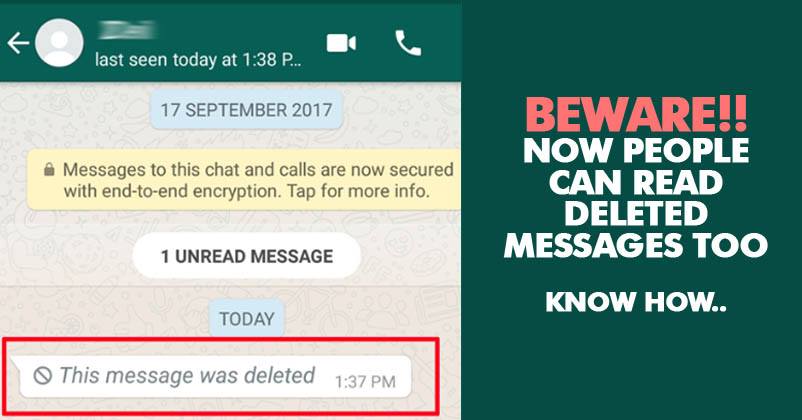
WhatsApp may have provided us with a free, simple and very effective option for regular chatting but it’s a tricky app to use. Though it promises the whole conversation to be “end to end encrypted” and also provides an option to delete the wrong message you mistakenly sent to someone, but it can still be retrieved.

WhatsApp Messages Can Be Accessed Even After Deleting. Here's How To Do It With A Simple Method - RVCJ Media
Source

Scared? Yes, it’s true. As per a popular Spanish blog, Android Jefe, The messages you send and receive during a chat can be retrieved even after deleting them. The blog tells, how you can do it with a simple method.

“What we found is that the messages are stored in the notification register of the Android system. So, it’s just a matter of entering that record to see the messages that the other person deleted.”

Now, this is how you can enter the record and access the deleted WhatsApp messages.

RELATED STORIES

Ex-India Coach Makes Big Revelation About Jasprit Bumrah Playing 3 Tests In England

“Bit**Y Analysis,” Karan Johar Makes Revelation Regarding Bollywood Celeb WhatsApp Groups

Retired Army Officer Loses Rs. 4 Crore To Fraudsters After Downloading A Link From WhatsApp

Retired Army Officer Loses Rs. 4 Crore To Fraudsters After Downloading A Link From WhatsApp

1. First of all, you need an app named Notification History which you can download from Google Playstore.

2. After you download the app, you need to search the Android notification log to read the message.

ADVERTISEMENT

3. And in case you don’t want to take the help of 3rd party app, just follow this path Widgets > Activities > Settings > Notification log and simply access the messages.
WhatsApp Messages Can Be Accessed Even After Deleting. Here's How To Do It With A Simple Method - RVCJ Media
Source

However, there are few limitations too. You can retrieve only those messages which generated the notification and also the first 100 characters of the deleted message can be read.

What do you think about this?

News Source

More from TechnologySee all
10 Daily Use Gadgets for Home Every Indian Family Needs10 Daily Use Gadgets for Home Every Indian Family NeedsAadhaar Card PDF Password: How to Download e-Aadhaar in 2026Aadhaar Card PDF Password: How to Download e-Aadhaar in 2026
Tags: WhatsApp
Gautam Batra

Gautam Batra

ADVERTISEMENT
Facebook Twitter Instagram Youtube

About Us

RVCJ Media is a digital-first media and entertainment company known for pioneering meme marketing and shaping internet culture in India.

RVCJ Digital Media Pvt. Ltd., Andheri (East), Mumbai 400093
Email: [email protected]

ADVERTISEMENT

Quick Links

  • Home
  • About Us
  • Contact Us
  • Terms & Conditions
  • Privacy Policy

Sections

  • Buzz
  • Bollywood
  • Sports
  • Reviews
  • Videos
  • Viral
  • Travel

© RVCJ Digital Media Pvt Ltd. All rights reserved.

RVCJ

Born on the internet & built for scale. Bollywood, cricket, reviews and the stories India is sharing.

Follow RVCJ
91M followers across platforms
Sections
  • Buzz
  • Bollywood
  • Sports
  • Reviews
  • Videos
  • Viral
  • Travel
Company
  • About Us
  • Contact Us
  • Privacy Policy
  • Terms of Service
Work with RVCJ

Branded content, meme marketing and campaigns for brands that want India talking.

Get in touch
ADVERTISEMENT
© RVCJ Digital Media Pvt. Ltd. All rights reserved.Part of RVCJ Media Group
No Result
View All Result
  • Reviews
  • Buzz
  • Sports
  • Travel
  • Videos
  • Extras
  • News
  • Viral
This website uses cookies. By continuing to use this website you are giving consent to cookies being used. Visit our Privacy and Cookie Policy.