• About Us
  • Contact Us
Monday, November 9, 2026
Shop Rawbare
RVCJRVCJ Media
No Result
View All Result
  • Reviews
  • Buzz
  • Sports
  • Travel
  • Videos
  • Extras
  • News
  • Viral
  • Reviews
  • Buzz
  • Sports
  • Travel
  • Videos
  • Extras
  • News
  • Viral
No Result
View All Result
RVCJRVCJ Media
No Result
View All Result
Home Technology

Here’s How You Can Make “Emergency Calls” Even When There’s No Network Coverage.!!

by Saranga Sharath
in Technology
Reading Time: 2 mins read
Here's How You Can Make "Emergency Calls" Even When There's No Network Coverage.!! - RVCJ Media

Nowadays people can live without food and shelter but can’t live without a smartphone and the Internet connectivity. Knowingly or unknowingly, smartphones have become an integral part of our lives. For every smartphone user, there are two most annoying feelings – one being the ‘dead battery’ and the other is ‘no network coverage’. Nothing much can be done with a dead battery unless you have an extra power up. So, let’s talk about the other problem. When there’s no network coverage, your phone will probably display “No Network coverage. Emergency calls only.” Did you get that? There’s no network then how can you make “Emergency Calls”?

1

To understand this, let us first try to know the steps involved in making a phone call. Network towers are essential components of a wireless call. As soon as you press the ‘call’  button, your phone releases a signal and the nearest network tower will catch it. Next, the signal undergoes a series of steps and will reach the network tower of the destination. This is how you are able to talk with another person through a mobile phone. This is possible as long as your phone signal strength is good. Coming to emergency calls thing.

2

Here’s how you can make ‘Emergency Calls’ even when there is no network:

In case you think that phones don’t require network coverage to make Emergency calls, then you are one of those people who knew nothing about wireless communications. Nowadays, most SIM cards work on Global System for Mobile technology. GSM is designed in such a way that it can use the network coverage of another service provider (signals from the nearest tower of another service provider) in the case of bad or absence of your network. However, this facility is limited only to emergency calls only. So when your network goes out, your phone can still make ‘Emergency calls” by using the network of another service provider. In some western countries like the USA, this method is applicable even if the SIM card is not in a proper functioning condition, as the network antenna in the phone will connect to a network tower.
RELATED STORIES

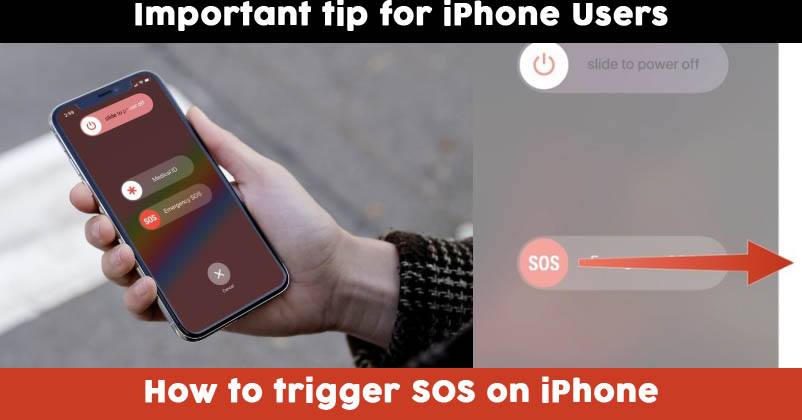
How To Trigger SOS On Your Iphone In Case Of Emergency

How To Trigger SOS On Your Iphone In Case Of Emergency

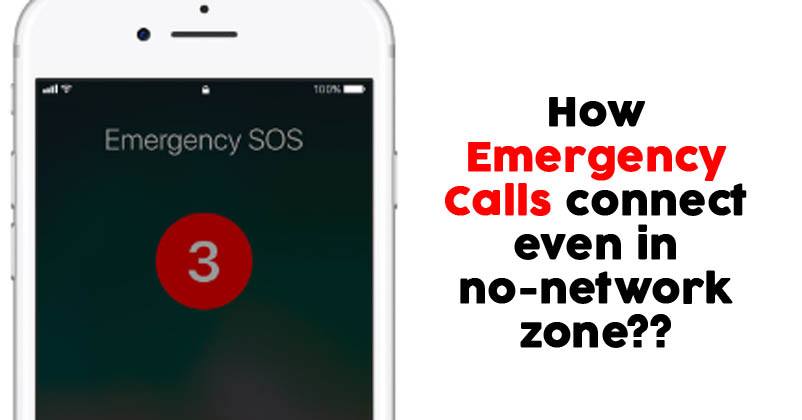
See How Emergency Call Works Even In No Network Zone

See How Emergency Call Works Even In No Network Zone

Calling 911 from cell phone

ADVERTISEMENT

In case you happen to be in a dense forest with absolutely no coverage area from any of the network providers, then there is no way that your phone can receive and transmit the signals thereby making it ineffective of making any kind of calls including the “Emergency Calls”.

Image Source: Google Images

Share your views in the comments section below.
Latest on RVCJ

  • IPL 2027- Young Cricketer To Leave DC? GT Could Make A Move Before IPL 2027 Auction
  • Indian U-19 Skipper Holds Batters Responsible For 3-Wicket Defeat Vs Pak, Says India Needed….
  • Goa Trip Gadgets: 6 Travel Essentials Under Rs 4,000 (Nov 2026)
  • Best Tennis Ball Cricket Bats Under Rs 4,000 (November 2026)
  • Best Gaming Mouse Under Rs 2,000 for Students (Nov 2026)
  • RJ Mahvash Talked About A Man Cheating His Pregnant Wife, Did She Hint At Yuzvendra Chahal?
  • Anshul Kamboj’s Powerful Response After West Indies Debut, Says One Match Can’t….
  • Rohit Sharma Steals The Show Despite 6-Ball Duck, Shubman Gill Praises His Fielding Effort
More from TechnologySee all
10 Daily Use Gadgets for Home Every Indian Family Needs10 Daily Use Gadgets for Home Every Indian Family NeedsAadhaar Card PDF Password: How to Download e-Aadhaar in 2026Aadhaar Card PDF Password: How to Download e-Aadhaar in 2026
Tags: Emergency CallHere's How You Can Make "Emergency Calls" Even When There's No Network Coverage.!!Mobile PhonesNetwork AreaNetwork CoverageNetwork TowerNo Network Coverage.Smart Phones
Saranga Sharath

Saranga Sharath

ADVERTISEMENT
Facebook Twitter Instagram Youtube

About Us

RVCJ Media is a digital-first media and entertainment company known for pioneering meme marketing and shaping internet culture in India.

RVCJ Digital Media Pvt. Ltd., Andheri (East), Mumbai 400093
Email: [email protected]

ADVERTISEMENT

Quick Links

  • Home
  • About Us
  • Contact Us
  • Terms & Conditions
  • Privacy Policy

Sections

  • Buzz
  • Bollywood
  • Sports
  • Reviews
  • Videos
  • Viral
  • Travel

© RVCJ Digital Media Pvt Ltd. All rights reserved.

RVCJ

Born on the internet & built for scale. Bollywood, cricket, reviews and the stories India is sharing.

Follow RVCJ
91M followers across platforms
Sections
  • Buzz
  • Bollywood
  • Sports
  • Reviews
  • Videos
  • Viral
  • Travel
Company
  • About Us
  • Contact Us
  • Privacy Policy
  • Terms of Service
Work with RVCJ

Branded content, meme marketing and campaigns for brands that want India talking.

Get in touch
ADVERTISEMENT
© RVCJ Digital Media Pvt. Ltd. All rights reserved.Part of RVCJ Media Group
As an Amazon Associate, we earn from qualifying purchases.
No Result
View All Result
  • Reviews
  • Buzz
  • Sports
  • Travel
  • Videos
  • Extras
  • News
  • Viral
This website uses cookies. By continuing to use this website you are giving consent to cookies being used. Visit our Privacy and Cookie Policy.